API Backend
The REST API Backend is the representation of the server-side system for the RESTful services to be created by the user
API Backend
The REST API Backend is the representation of the server-side system for the RESTful services to be created by the user. The name of the backend will be included in the URL of the RESTful API for the app. Once a backend is created. It can be accessed through the browser with http://localhost:7000/{backendname}. Metamug does not provide backend versioning instead, versioning is provided at the resource level.
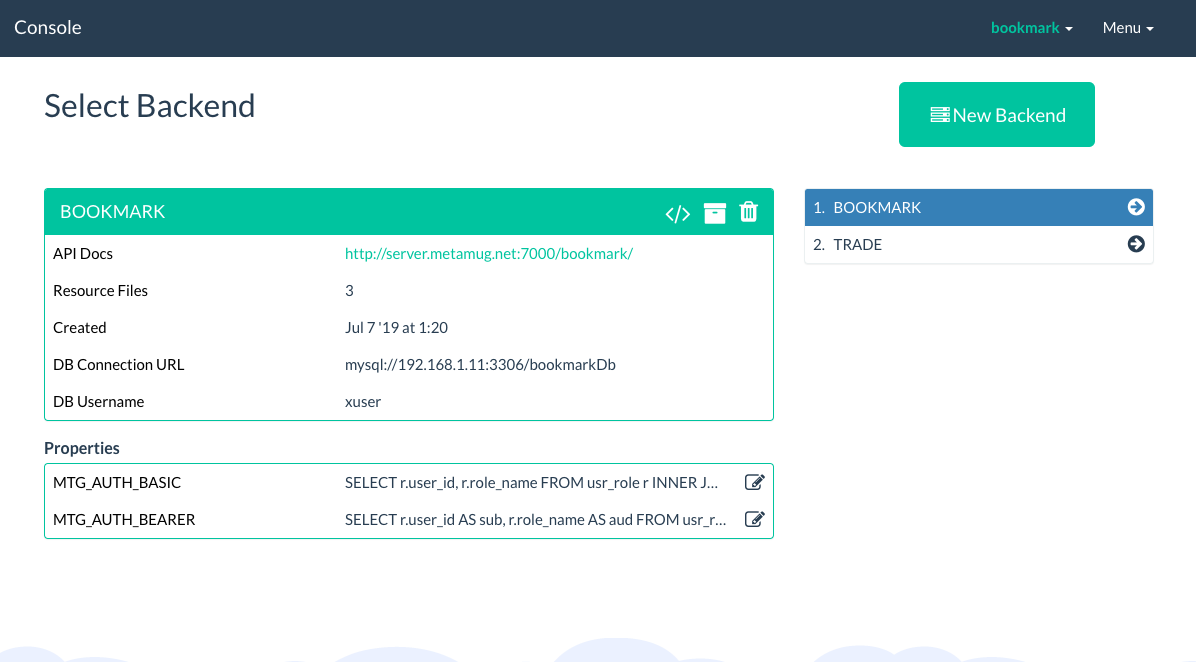
The Backend screen on the Metamug Console lists the App Backends created by the user and shows details. The information about the selected backend is displayed in the panel. This information includes the following
- Backend endpoint to be accessed by app developers to access the API.
- Documentation Page for developer's reference to understand the API calls to be made. The details about the method, parameters and other pre-conditions.
Creating a New Backend
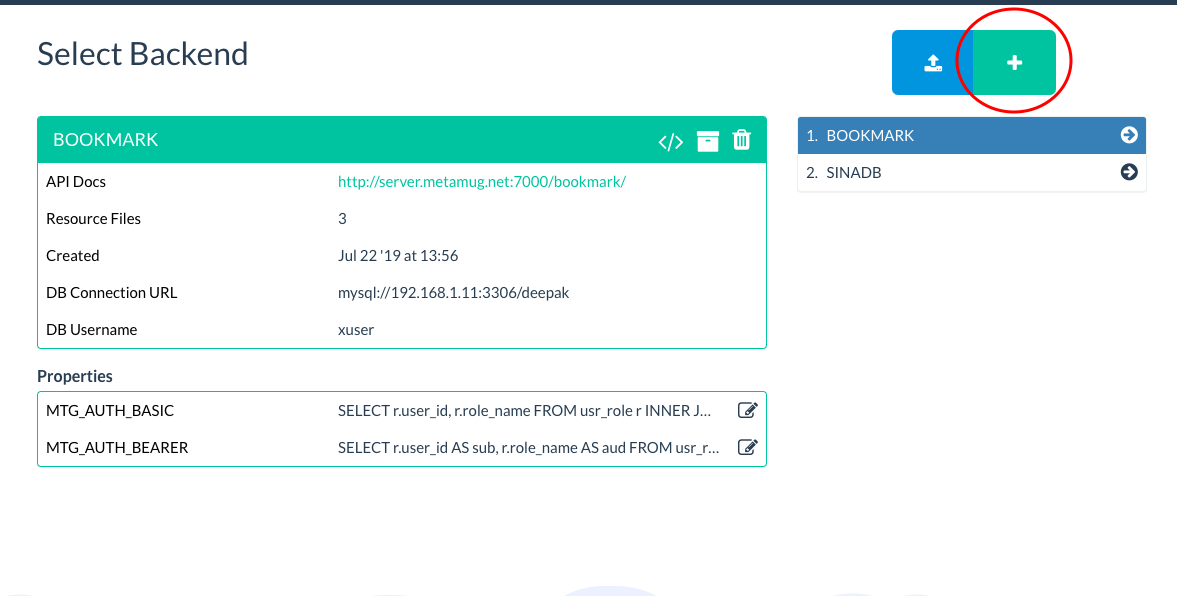
The New Backend button on the backends screen can be used to create a new backend.
The backend creation form requires the name, description and database type for the backend.
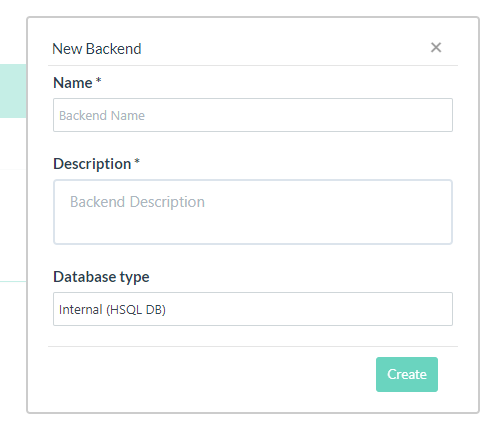
- Name
- Only lower case alphabets are allowed as names. The backend name is used to form the url when making API requests.
- Names "console" and "root" are reserved and cannot be used as backend names.
- A backend name has to be unique - there cannot be more than one backends with same name.
- Description
- Description is used for displaying in the backend documentation.
- Database Type
- The database type for a backend can be internal - embedded within the Metamug server itself OR external - connection to user's own database. This is explained in detailed in the later sections.
Backend Database
Each backend creates a database schema along with it. The default database provided is HSQLDB, which is Internal (uses the same hardware as the API server itself). This database will be used for all the created backends if they do not specify an external database connection. We do not recommend using HSQLDB unless you are building a small proof-of-concept, due to its limitations.
Connecting to External Database
External database connection can be established to the backend by selecting the External database option.
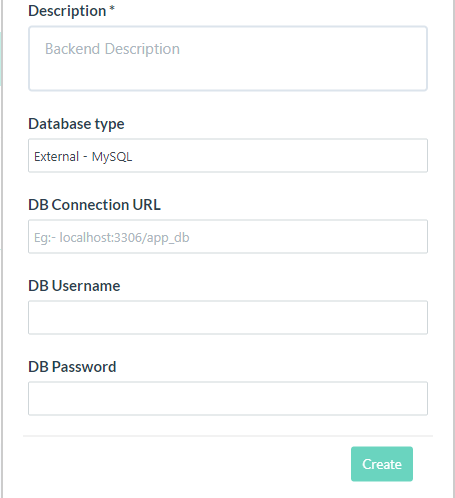
The external DB connection feature provides only MySQL for the free version of Metamug Console. You will need to provide the following connection details.
- DB Connection URL {hostname:port/databaseName} - you can also add connection options here according to the database type you are connecting to
- Username
- Password
Database Permissions
Make sure that your database has permissions granted to the username and password which you enter.
For example for MySQL you can use the following
GRANT ALL ON testdb.* to 'username'@'127.0.0.1' IDENTIFED BY 'password';Accessing Backend
The current backend is visible on top navigation bar as a dropdown. Backend contains resource files, plugin projects and SQL editor to access information about database schema. The tables created within a backend cannot be accessed by another backend. The user can switch between backends created on the Backends page. The corresponding code and resource file will be displayed after switching.
Backend Properties
Backend specific properties like auth queries can be configured from this section.

Deleting the Backend
-
Once the backend is deleted, all the resource files associated with that backend are deleted and cannot be recovered. It is advised to take backup of your code before you performing the delete.
-
The backend name is then made available for claim. If the backend name is reclaimed by another user. The user cannot create the backend with the same name.
-
The API generated with the backend is also dissolved. Accessing the API with its link
http://localhost:7000/{backend}or any of its resourceshttp://localhost:7000/{backend}/v1.0/{resource}will result in 404 error. - Metamug maintains no copy of the information submitted with the backend that has been deleted.
Exporting and Importing Backend
The backend source can be exported using the export icon highlighted in the image below.
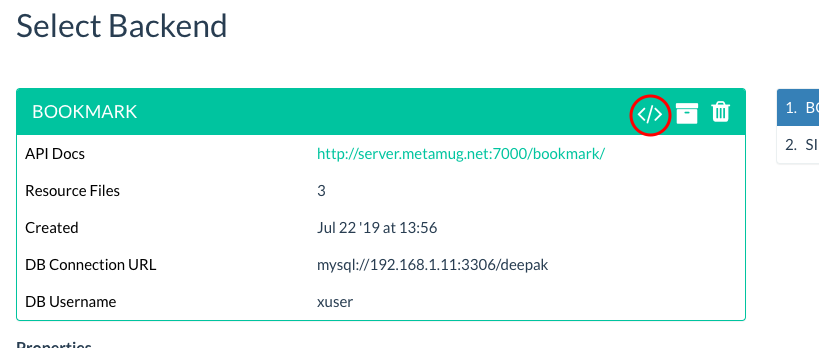
The backend source gets downloaded as a zip file. The zip file can be imported in the console using the backend import icon.

Exporting Backend as WAR
The backend can be exported as WAR (Java Web Archive) by clicking on the WAR export icon. The WAR file can be deployed for production in Apache Tomcat.
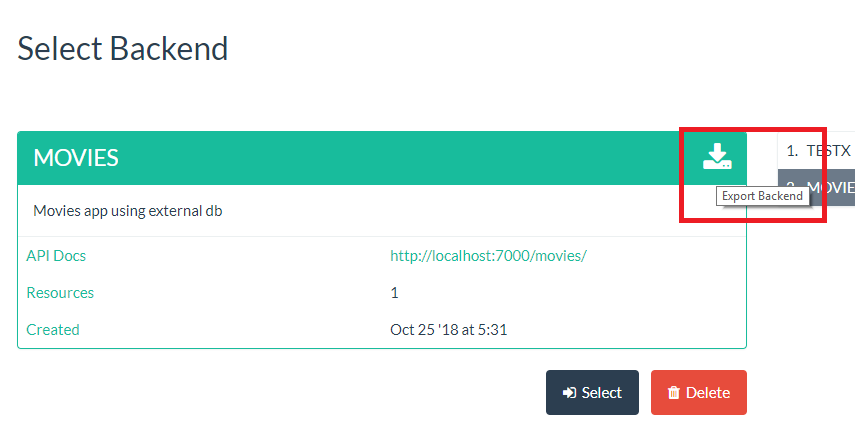
The WAR file can be unzipped to produce a Java web application folder. The Database connection details can be found in /META-INF/context.xml inside the webapp folder.