API Request
The Basics of making REST API requests
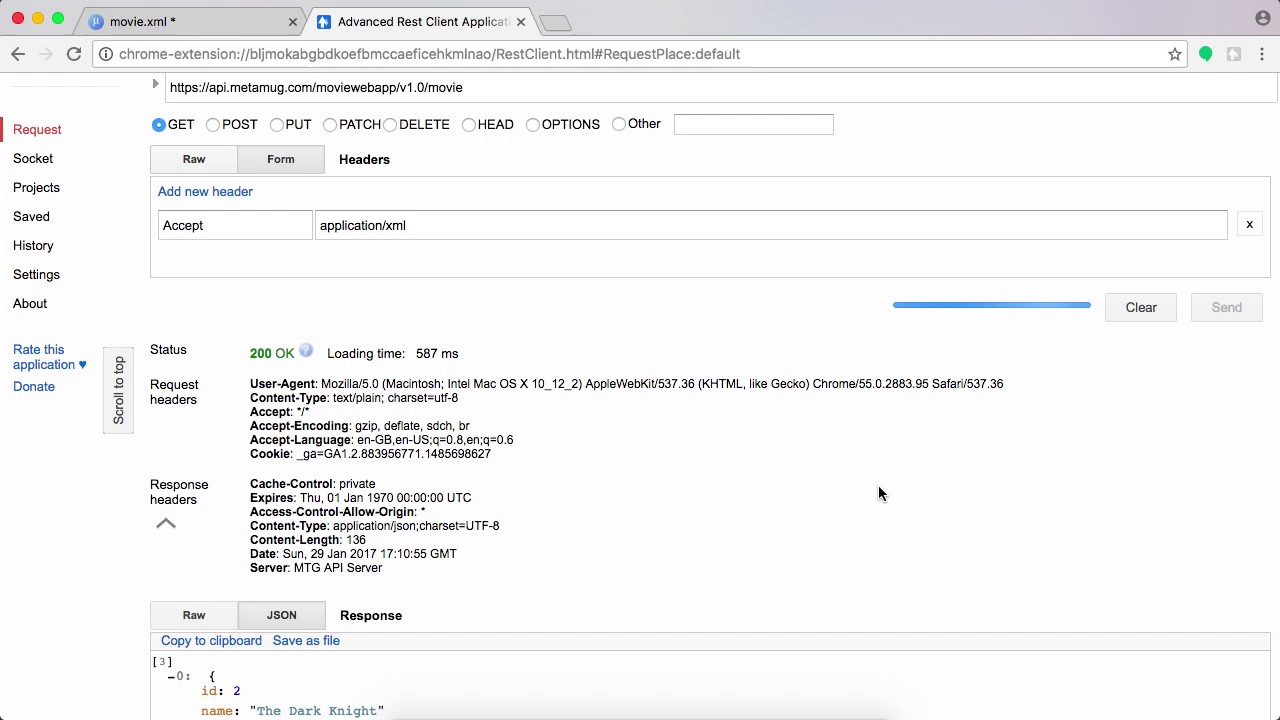
Before proceeding, the reader must be familiar with the following
- XMLHttpRequest (JavaScript)
- HTTP Headers and message format
This videos is outdated but explains the api request mechanism well. Please refer the docs for updated request docs.
API Endpoints
The URL endpoints of REST APIs created by Metamug is structured in the format localhost:7000/{appName}/{resourceVersion}/{resourceName}. For example, a resource movie with version 1.1 in exampleApp will have URL endpoint localhost:7000/exampleApp/v1.1/movie
A request can be made to the API using XMLHttpRequest as follows
var xhr = new XMLHttpRequest();
xhr.open('GET', 'http://localhost:7000/exampleApp/v1.1/movie', true);
xhr.onload = function() {
    //after getting response
}
xhr.send();
Response types
The type of data returned in the response can be chosen by specifying the Accept header. If no Accept header is specified, the default type returned is json.
JSON response
Adding the header Accept: application/json will tell the system to return data in the JSON format
var xhr = new XMLHttpRequest();
xhr.open('GET', 'http://localhost:7000/exampleApp/v1.1/movie', true);
xhr.setRequestHeader('Accept','application/json');
xhr.onload = function() {
    //after getting response
}
xhr.send();
The above request will fetch JSON response as follows
[
    {"id":2,"name":"The Dark Knight","rating":4.0},
    {"id":3,"name":"The Happening","rating":3.0},
    {"id":11,"name":"The Martian","rating":4.5},
    {"id":15,"name":"Rush","rating":4.0},
    {"id":16,"name":"Casino Royale","rating":4.0}
]
The JSON array can be parsed and data can be accessed as shown below
xhr.onload = function() {
    var array = JSON.parse(xhr.responseText);
    for(var i=0; i < array.length; i++) {
        var name = array[i].name;
        var rating = array[i].rating;
        //do something with the data
    }
}
JSON Dataset response
The columns and dataset can be obtained separately in the JSON object using the header Accept: application/json+dataset.
xhr.setRequestHeader('Accept','application/json+dataset');The JSON dataset response looks as follows
{
    "columns": [
        "id",
        "name",
        "rating"
    ],
    "dataset": [
        [2,"The Dark Knight",4.0],
        [3,"The Happening",3.0],
        [11,"The Martian",4.5],
        [15,"Rush",4.0],
        [15,"Casino Royale",4.0]
    ]
}
XML response
The same request as above made with the header Accept: application/xml will return the response in XML format.
xhr.setRequestHeader('Accept','application/xml');The above request will fetch XML response
<data>
    <movie>
        <id>2</id>
        <name>The Dark Knight</name>
        <rating>4.0</rating>
    </movie>
    <movie>
        <id>3</id>
        <name>The Happening</name>
        <rating>3.0</rating>
    </movie>
    <movie>
        <id>11</id>
        <name>The Martian</name>
        <rating>4.5</rating>
    </movie>
    <movie>
        <id>15</id>
        <name>Rush</name>
        <rating>4.0</rating>
    </movie>
    <movie>
        <id>16</id>
        <name>Casino Royale</name>
        <rating>4.0</rating>
    </movie>
</data>
Making request with parameters
When making POST/PUT requests, Content-Type header needs to be set in the request to specify the data-format being sent in the request body.
Form parameters
For form processing, the data params are sent in form of URL encoded values e.g. name=X-Men&rating=4.8&releaseDate=2001-04-05
var xhr = new XMLHttpRequest();
xhr.open('POST', 'http://localhost:7000/rest/v1.0/movie', true);
xhr.setRequestHeader('Content-Type', 'application/x-www-form-urlencoded');
xhr.send("name=X-Men&rating=4.8&releaseDate=2001-04-05");
JSON in request body
JSON can also be sent in the request body by setting Content-Type: application/json
var movie = {name:"X-Men", rating:4.8, releaseDate:"2001-04-05"}
.
.
.
xhr.setRequestHeader('Content-Type', 'application/json');
xhr.send(JSON.stringify(movie));
In both the above cases, the parameters can be accessed inside the resource XML using variables $name, $rating, $releaseDate. We will try the same request with JSON data with postman rest client.


URL Encoding Request Parameters
Parameter values containing special characters like "&", "/", etc. need to be URL encoded before being sent in the request.
//parameter value containing special character
var description = "Trim, Score & Fold Cover";
var encodedValue = encodeURIComponent(description);

var xhr = new XMLHttpRequest();
xhr.open('POST', 'http://localhost:7000/exampleApp/v1.1/movie', true);
.
.
.
xhr.send("description="+encodedValue);