
Plunger
Unclog your API.
Your AI agent calls the API. Plunger shows you what it actually sent and what came back.
A tiny native API inspection tool for developers who just want to see what their pipeline is actually doing. Make the request. See the JSON. Move on.
Why?
Sometimes you don't need another platform. You just need to see what the API returned.
AI can write the code. AI can build the pipeline. We still look at the diff before we push. We still look at the logs when something feels wrong. And we still look at the JSON when an API doesn't do what we expected.
Seeing is believing. Plunger is for the moment between "I think it works" and "I can see it works."

What it does
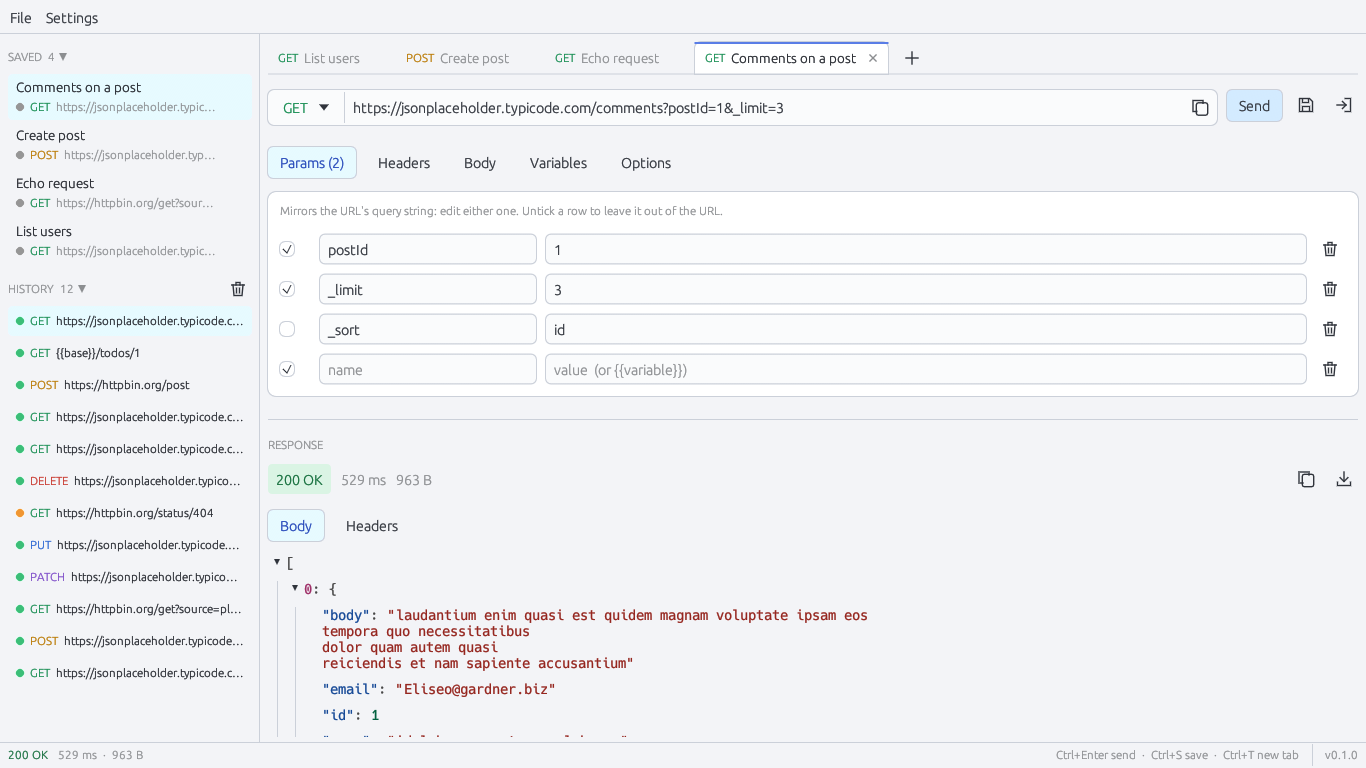
A small desktop app that sends an HTTP request and shows you what came back.
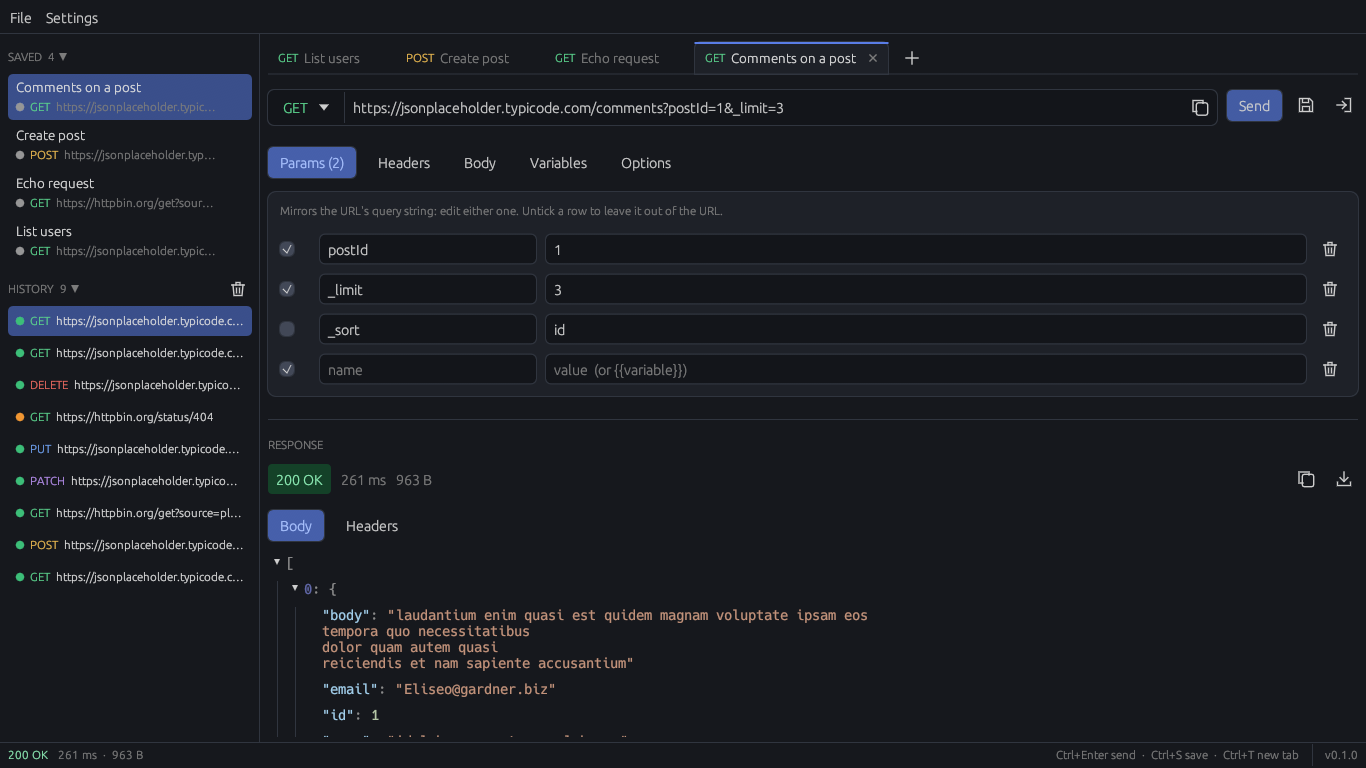
- Request: GET, POST, PUT, PATCH, DELETE, HEAD, OPTIONS, with params, headers and a Bearer token field.
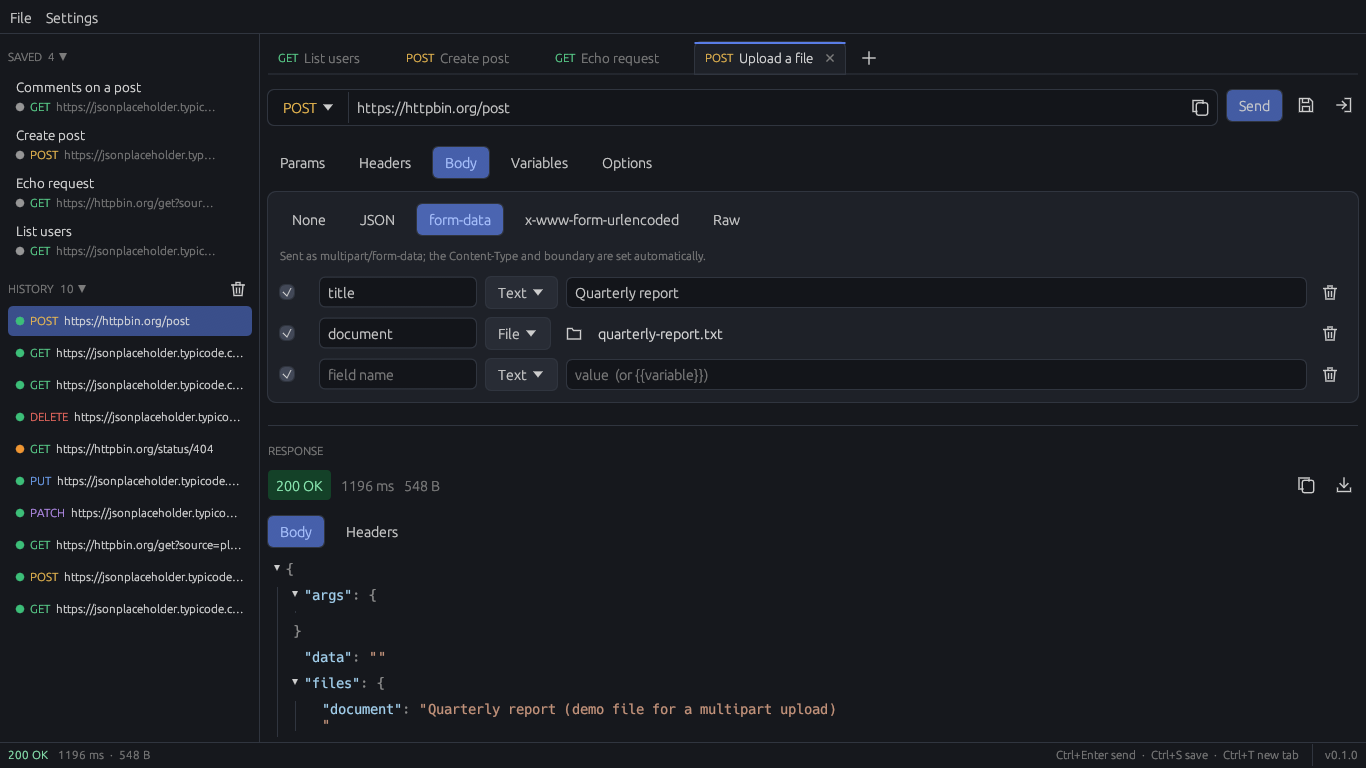
- Body: JSON, form-urlencoded, raw text, or multipart form-data with real file uploads.
- Response: status, time, size, headers, and the body as a collapsible JSON tree, with binary responses shown as binary instead of garbled text. Right-click any value to copy it or its JSON path, or save the whole body to a file.
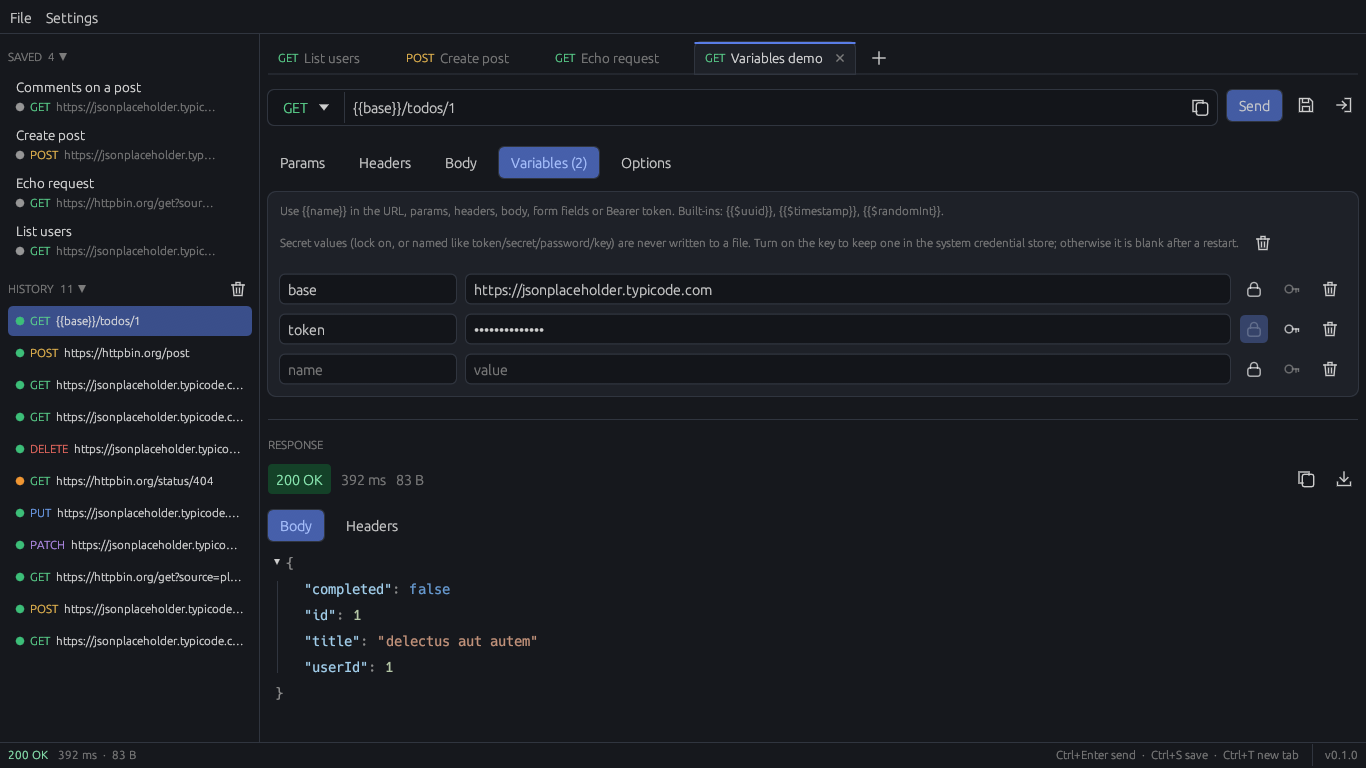
- Variables:
{{name}}anywhere in the request, plus{{$uuid}},{{$timestamp}}and{{$randomInt}}. - Import: a curl command (including
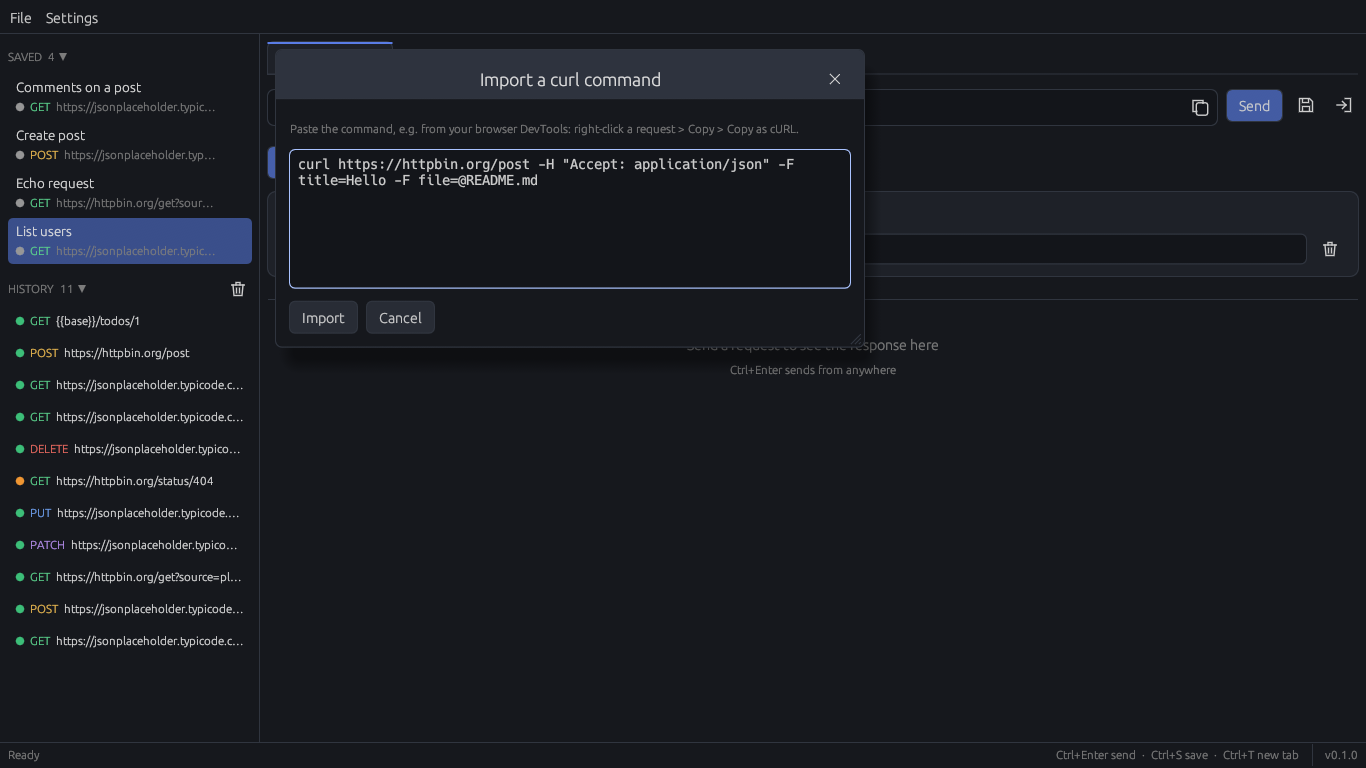
-Fuploads) or a HAR file. - Keep what matters: local history, named saved requests and tabs.
- Find anything: a filter box searches the whole history and saved list by URL, method, name or status.
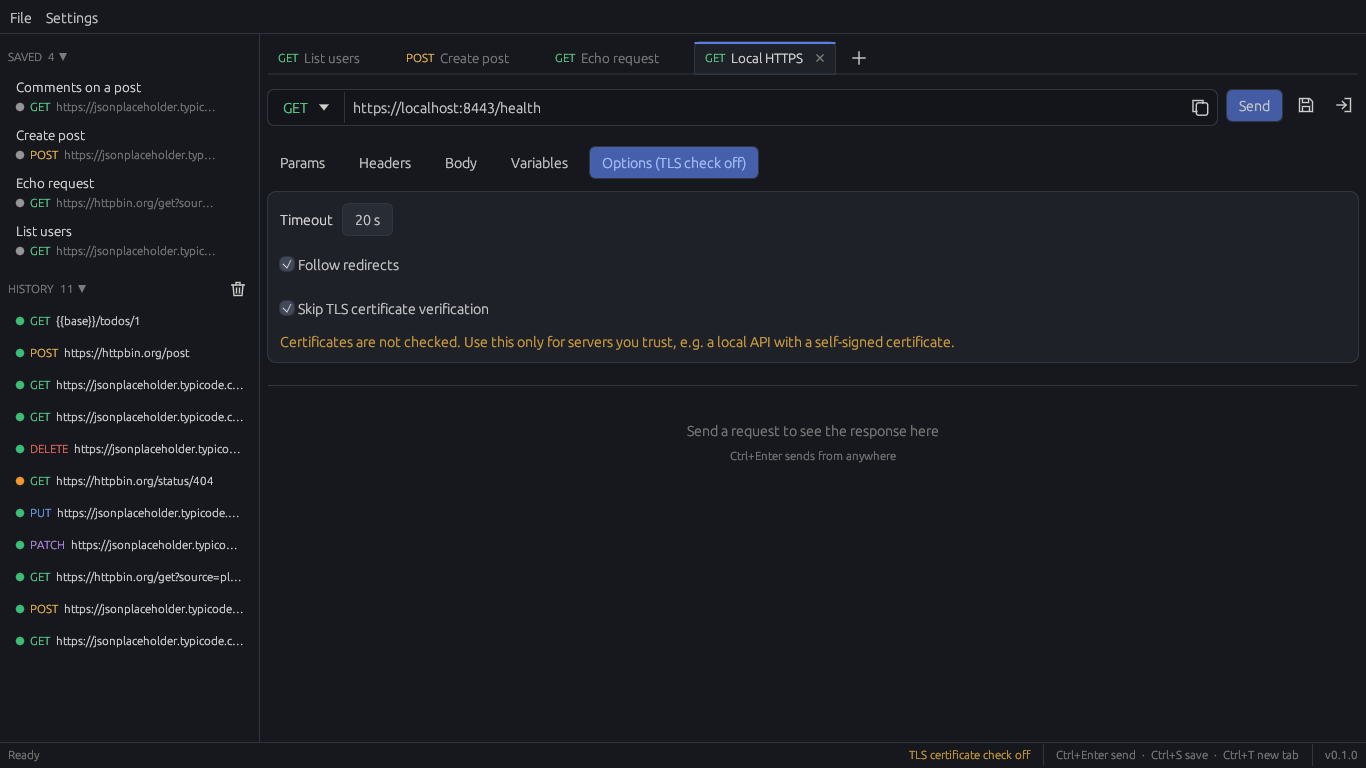
It's a native program, not a web page, so it reaches whatever your machine can reach: localhost, a dev box on your network, an API that sends no CORS headers. For public APIs that do allow browser requests, the online API tester needs no download.
For AI agents
See the JSON, even when an AI sent the request. The same plunger.exe is also a command-line client and an MCP server, so an agent like Claude Code can send requests through Plunger instead of running curl.
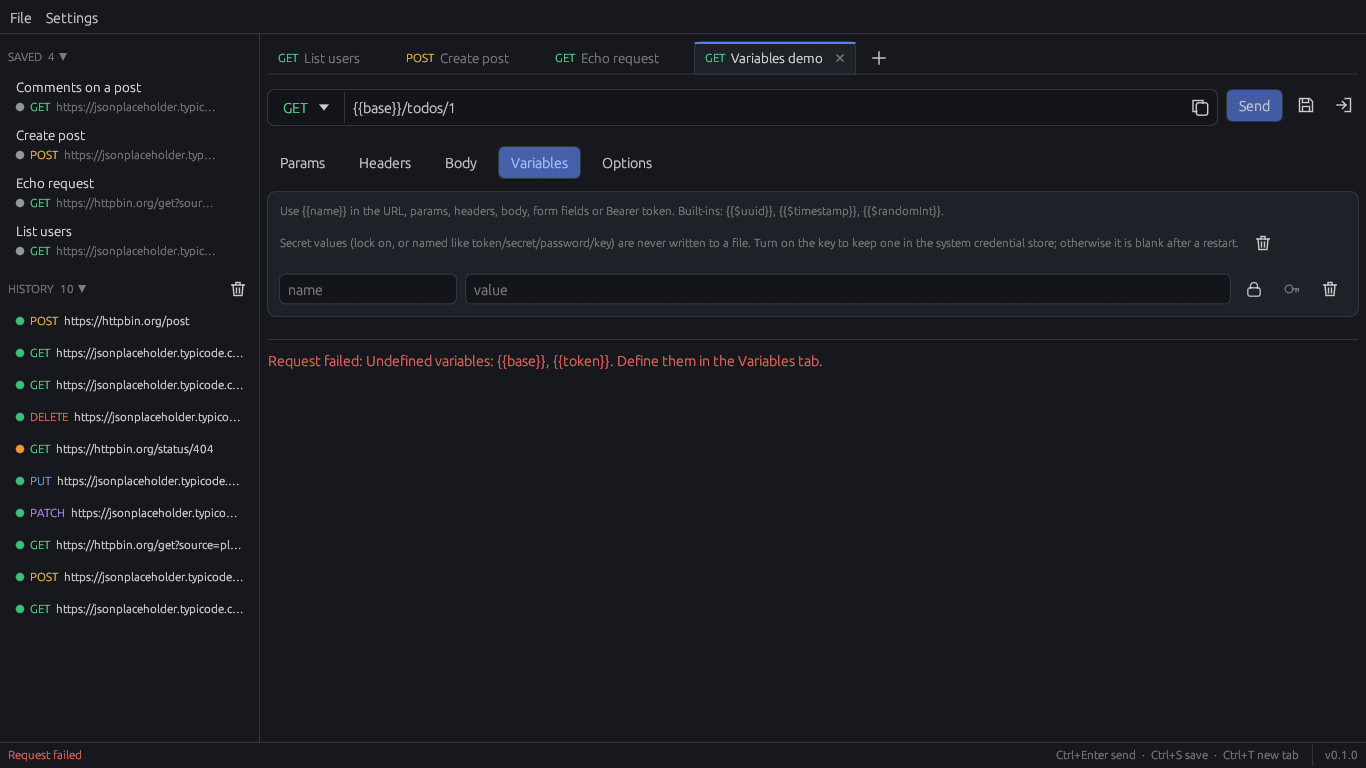
- Undefined variables are refused. A request with an undefined
{{variable}}is never sent. curl would send the placeholder text. - Secrets stay by name. The agent writes
{{token}}and never sees the value. Secrets you've chosen to remember are kept in the Windows Credential Manager and filled in by Plunger; if a server echoes one back, it comes back as[redacted:token]. - One shared history. Requests an agent sends show up in the same history you see in the window, tagged
MCPorCLI. - Structured results. Status, time, size, headers and the parsed JSON body come back as separate fields.
Six MCP tools: send_request, import_curl, list_saved_requests, get_history, list_variables and export_curl. Setup and every option are in the agent guide.
How Plunger's MCP differs
Other API clients have added MCP too. This is what each one's is for, as of September 2026, summarised from the projects' own documentation:
| Tool | What its MCP support is for |
|---|---|
| Postman | An official MCP server with 100+ tools for workspaces, collections, environments, mocks, specs and code generation. |
| Insomnia | Works as an MCP client: connect to external MCP servers and use their tools, prompts and resources. Client setups can be synced with Git projects. |
| Hoppscotch | An official MCP server with 53 tools for collections, environments and teams. It can also run requests. |
| Bruno | An official MCP server that lets an agent discover, inspect and run the requests in your collections, through the Bruno CLI. |
| Plunger | Six tools, one job: send a request safely, and see it afterwards. |
Plunger's MCP is narrower on purpose. It lets an agent send a real HTTP request without a mistake on the agent's side corrupting it, leaking a credential, or leaving no trace.
Small by design
Built in Rust with egui because we wanted a small, fast, native application. No webview, no bundled browser: one exe of about 7 MB, which is also a command-line client and an MCP server for AI agents.
No account to create. No cloud to sync to. The only network traffic is the requests that get sent, by you or by an agent you've connected: no analytics, no telemetry, no update checks. History and saved requests stay on your computer, in %APPDATA%\Plunger. Bearer tokens and secret variables are never written to a file unless you tick "remember", which keeps them in the Windows Credential Manager. Credential-looking headers are blanked before history is saved. Read the privacy policy.
This website, metamug.com, can show ads if you allow them in its cookie settings, as described in the website privacy policy. The app has no ads and no tracking.
Open source
Plunger is MIT licensed, and the code is on GitHub. Read it, build it, change it. A few promises, so you know what you're picking up:
- It will never require an account.
- It will never add telemetry.
- Existing features will never move behind a paywall.
Bugs and ideas go to GitHub issues. The test for a new feature: does it help someone quickly see what an API is doing?
Install
From the Microsoft Store: get Plunger there. Microsoft signs the Store package, so Windows doesn't show the "Windows protected your PC" warning, and the Store keeps it updated. The Store version can trail the newest GitHub release by a few days.
Or from the zip:
- Download the zip and unzip it anywhere.
- Run
plunger.exe. - Paste a URL or a curl command, press Ctrl+Enter, read the response.
The zip isn't code-signed yet, so Windows may say "Windows protected your PC". Click More info, then Run anyway. Or build it yourself.
To update, download the zip again and replace the exe. To remove it, delete the exe and %APPDATA%\Plunger.
The window is Windows only for now. A Linux build is also attached to each release: its command line and MCP server are tested in CI, but the window hasn't been tried on a real Linux desktop yet.
We didn't want another ecosystem. We wanted a plunger.
Unclog your API.